
Quick answers to common questions to help you keep your medical alert system working properly.
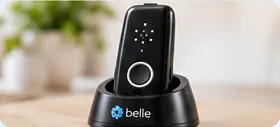
Your Belle S features a stated 45-day battery life. When it is time to recharge, use the custom charging cradle.
Confirm battery-life and charging-time specifications against your Belle S manual before publishing.
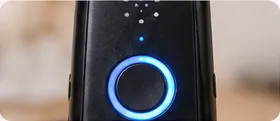
The circular LED ring around the central call button communicates device status.
| Light Pattern | Device Status | What to Do |
|---|---|---|
| 🔵 Solid Blue | Active SOS Call | The unit is contacting the operator. Stand by to speak. |
| 🔴 Flashing Red (In Cradle) | Battery Charging | Leave the device in the cradle to complete charging. |
| 🔴 Solid Red (In Cradle) | Fully Charged | Ready for use. You can now remove it and wear it. |
| ⚪ No Light Visible | Standby / Power Save | Normal behavior during regular wear to save energy. |
LED patterns are reproduced from your original guide and should be checked against the Belle S manual.
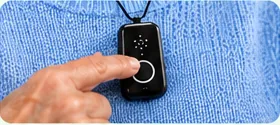
We recommend testing your medical alert system once a week to make sure it is working properly.
Follow any additional testing instructions supplied by HelpLine.

Your original guide describes automatic fall detection for subscriptions that include the feature. Confirm whether your specific Belle S device and service plan support automatic fall detection.
The original guide specifies pressing the SOS button within 15 seconds to cancel a false alarm. Do not rely on that procedure until HelpLine confirms it for this exact model and configuration.
If an alarm reaches a monitoring specialist, tell them clearly whether you need help. If you have fallen and need assistance, stay connected.
Wear the device according to the instructions supplied with your unit.
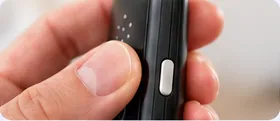
Your existing guide describes a built-in verbal battery-status feature.
Briefly press the small Battery Status Button described in your guide as being on the right edge of the unit. The guide states that the speaker announces “Battery OK” or “Battery Low, please charge.”
Confirm the button location and exact spoken messages on your Belle S model before publishing.
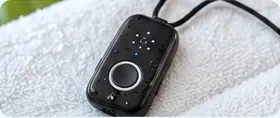
Keeping your device clean helps maintain sound quality and reliable charging.
Questions about your Belle S? Contact the local HelpLine team for assistance.
Images are illustrations cropped from the approved design mockup, not authenticated Belle S product photographs. Verify device-specific instructions before publication.